

The premiere source of truth powering network automation. Open and extensible, trusted by thousands.

NetBox is now available as a managed cloud solution! Stop worrying about your tooling and get back to building networks.
Cisco's slick new search engine
By stretch | Saturday, May 17, 2008 at 1:00 a.m. UTC
For a long time, cisco.com's search engine functionality was, let's say, less than optimal. Many people (myself included) opted to use Google instead, appending site:cisco.com to a query to locate relevant official content. Fortunately, Cisco recently unveiled a completely revamped and much more useful search engine.
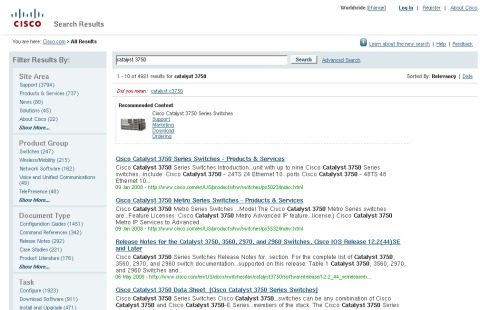
Search results tend to be much more accurate than they were in the past, and the engine provides the convenient ability of filtering results to a specific document type (for example, to view only configuration guides or command references). One can also filter by product, product group, task, or site area, and subcategories under each heading allow for even more discretion.
Since the new search engine is so handy, I decided to include it in Firefox among Google and Wikipedia. You can too, by installing this OpenSearch plugin (right-click, save to your Firefox search plugins directory).
Posted in News
Comments
May 19, 2008 at 3:06 p.m. UTC
I used to work at Cisco and believe me.. finding things on the company intranet was impossible. In fact probably worse than the old web site search!
May 19, 2008 at 10:43 p.m. UTC
Quick way to make a Firefox keyword bookmark... Create a new bookmark with the following fields:
Name: Cisco Search Location: http://tools.cisco.com/search/JSP/search-results.get?strQueryText=%s Keyword: cisco
Voila... now you can simply type 'cisco ospf' in the address bar in firefox and it will supply the ospf as the search keyword for that URL.
May 20, 2008 at 2:14 a.m. UTC
That's pretty neat!
(I edited Steve's post above to contain the minimum form parameters in the URL for the sake of space.)
September 27, 2008 at 10:13 p.m. UTC
Hi Stretch, Cisco now provides Opensearch plugins for Cisco search and tools at http://www.cisco.com/web/tsweb/searchplugins/plugin_homepage.html